SimpleDCC 2.0: Easy-to-Use DCC with Two-Way Communication

DCC is still the main option for controlling model railways. That’s why the new version of SimpleDCC (2.0) includes its own DCC command stations with two-way communication. As a result, even layouts in smaller scales such as TT, N, and Z can work with SimpleDCC.
While working on SimpleDCC, we identified three main issues that prevent us from switching completely to wireless communication, which we call Wireless Command Control (WCC):
- Most modelers already have trains with DCC decoders, as well as signals and other layout elements controlled by DCC. At the same time, most trains on the market are available with DCC decoders. That’s why we need an easy way to combine DCC and wireless communication within a single layout. Wireless communication is especially useful for two-way communication between layout elements and for controlling elements that can be connected to wireless decoders. This reduces the load on the main track and the amount of wiring required.
- With the first version of SimpleDCC, you cannot use wireless train decoders with smaller scales such as TT, N, and Z because the decoders are too large.
- Each wireless decoder adds approximately 0.2–0.3 A of load to the track even when it is simply waiting for new messages. As with any Wi-Fi device, power consumption can be significant.
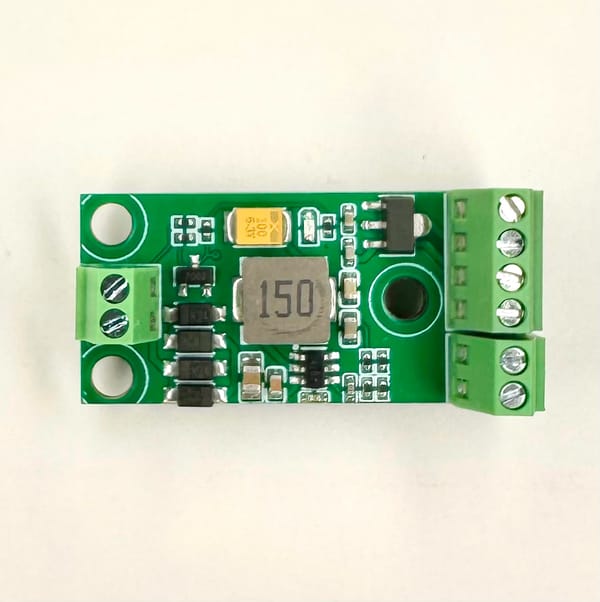
To solve these problems, we decided to create SimpleDCC command stations with two-way communication. They are probably among the most affordable command stations available: you can build one yourself or purchase one from our online store for around €30–50. They are also very flexible because the source code is available, allowing you to adapt them to your own needs with no vendor lock-in.
The main features of SimpleDCC command stations are:
- Send a DCC signal just like any other DCC command station.
- Receive and process wireless messages from SimpleDCC/WCC decoders. For example, if a sensor detects a train, it can send a message wirelessly to the command station. The command station can then decide which DCC commands should be sent to the track.
- Be controlled from computers and mobile devices over Wi-Fi without any additional hardware. An app with a user-friendly interface for layout control and automation will also be available.
- Be assembled yourself or purchased from our store.
- Allow the same DCC signal to be sent by multiple command stations connected to different electrically isolated modules.
- Cost approximately €30–50 for a command station with up to 5–10 A output.
What about our wireless DCC/WCC decoders?
We receive many questions about when our wireless DCC/WCC decoders will be available again. Unfortunately, that is a question we cannot answer yet.
The main problem with wireless decoders is heat.
Although the decoders are small, they contain three major sources of heat: the MCU with built-in Wi-Fi (we use ESP32-S3 SoCs), the motor driver, and the DC-DC converter. When all three components are active, the decoder becomes very hot. As a result, its overheating protection can shut the decoder down.
We have tested many of the latest components, but physics is physics, and so far we have not found a way to reduce the heat sufficiently. If we disable Wi-Fi and use Bluetooth instead, for example, as some other wireless decoders do, the overheating problem disappears. However, Bluetooth is much less suitable for reliable many-to-many communication, which is why it does not meet the requirements of WCC.
A possible solution is to use a lighter wireless protocol with lower power consumption than Wi-Fi. We are currently testing ESP-NOW Long Range. Another option is to split the decoder into two small boards.
All of this requires considerable development and testing time, so we do not yet have a release date for the new wireless decoders. However, they will not be available before December 2026.
A few examples
More details about these examples can be found in our documentation.
Block/section automation
Suppose you want to create simple automation for your layout by dividing the track into several blocks or sections and allowing only one train in each section at a time. If a section is already occupied, another train approaching that section should stop and wait before entering it, just like on a real railway.
To do this, you need to install sensors at the boundaries of each section. The sensor can be an NFC reader if you want to identify which train is in the section, or it can be an optical sensor or another type of detector if you only need to know whether the section is occupied.
The sensors can be connected to WCC (Wireless Command Control) decoders, which you can build yourself or purchase from our online store.
When a sensor detects that a train has entered a section, it sends a message wirelessly to the command station indicating that the section is occupied. Based on the layout configuration, the command station then controls the movement of other trains by sending the appropriate DCC commands.
You can find a more detailed description of this example in our documentation.
Automated level crossing
Suppose you want to automatically turn the lights and sound at a level crossing on and off depending on approaching trains.
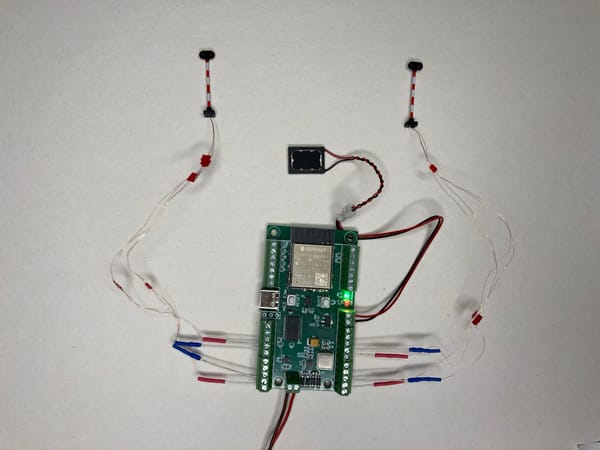
To do this, you install sensors at suitable distances before and after the level crossing and connect them to a WCC accessory decoder.
When a sensor detects an approaching train, the decoder sends a wireless message to the command station. The command station then sends a command to the decoder controlling the level crossing, indicating that a train is approaching. The decoder turns on the warning lights and sound.
After the train has passed the crossing and is detected by another sensor, the system can turn the lights and sound off again.
How to get started with SimpleDCC
SimpleDCC 2.0 should be available to everyone starting in October 2026. We are currently testing it on multiple layouts.
To get started, you will need:
- A SimpleDCC command station connected to the track
- The SimpleDCC web app
- Trains and other layout elements equipped with DCC and/or WCC decoders
We will publish more information on our home page, including a link to the Getting Started guide.
We will also send an email notification to everyone subscribed to the SimpleDCC newsletter. You can subscribe to the newsletter here to be notified when SimpleDCC 2.0 becomes available.